Get the details right.
Choose a built-in shape, then adjust size, color, opacity, rotation and position. Preview your reticle as you make it yours.
Crosshair overlay for Windows
Build a reticle that feels right. Fine-tune its shape and position, save a preset for each monitor, and bring your setup back in a click.
Coming to Microsoft Store · Launch in preparation
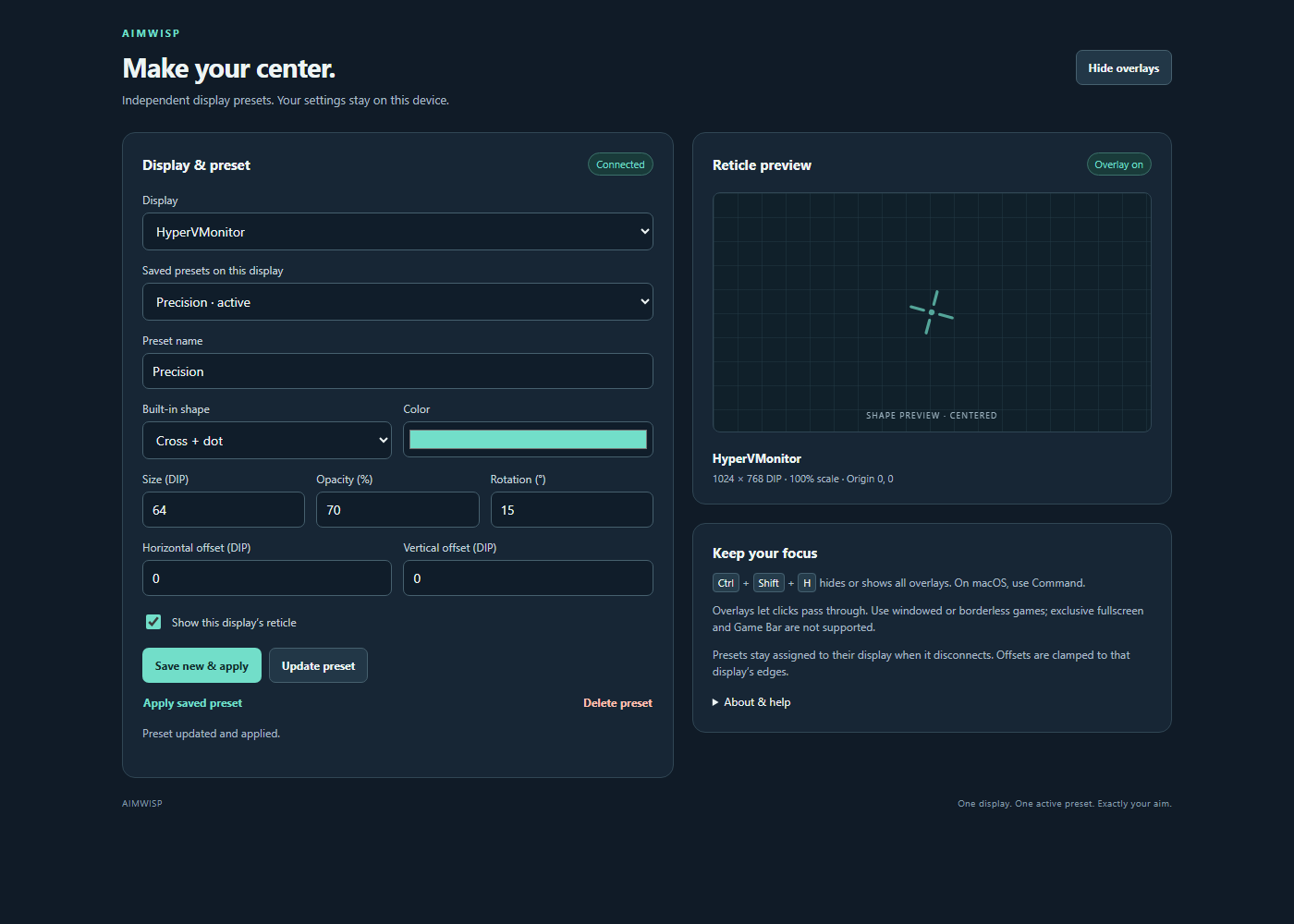
Choose a built-in shape, then adjust size, color, opacity, rotation and position. Preview your reticle as you make it yours.
Save named presets for each display. Switch between them without rebuilding your crosshair every time.
Show or hide all overlays with Ctrl + Shift + H. The overlay lets clicks pass through to the application underneath.
From first look to your look
A compact control panel puts your display, saved presets and reticle settings together. Your preferences stay on your computer.
Ctrl + Shift + H
One shortcut to show or hide all overlays.
Select the display you want to configure. Each display keeps its own saved presets.
Adjust the built-in crosshair and use horizontal and vertical offsets to place it where you want.
Save and apply your preset. When a display disconnects, its overlay stays hidden until the display returns.
One-time purchase
Built for Windows 10 and Windows 11. No account is needed to configure your overlays.
US launch price · Pay once, no subscription.
Microsoft Store displays local prices and applicable taxes.
The Windows app is not yet available to purchase.
Before you install
The x64 app requires Windows 10 version 2004 (build 19041) or later, including Windows 11.
AimWisp is designed for windowed and borderless applications. Exclusive fullscreen and Xbox Game Bar are not supported. Compatibility varies; follow the overlay rules of the games and applications you use.
Yes. Presets belong to their selected display, with separate position settings. A disconnected display keeps its preset so you can use it again when that display returns.
This release includes built-in geometric shapes. Custom image and SVG imports are not supported.
Presets and preferences are stored locally on your computer. Read the privacy policy for details, or contact support for help.
AimWisp is an independent Trieflow LLC product built from open-source software. Source code and license notices are available.